Lark app · SysTransform
DocForge
Turns any invoice, receipt or payslip into a reusable template and generates PDFs straight from Lark Base workflows.
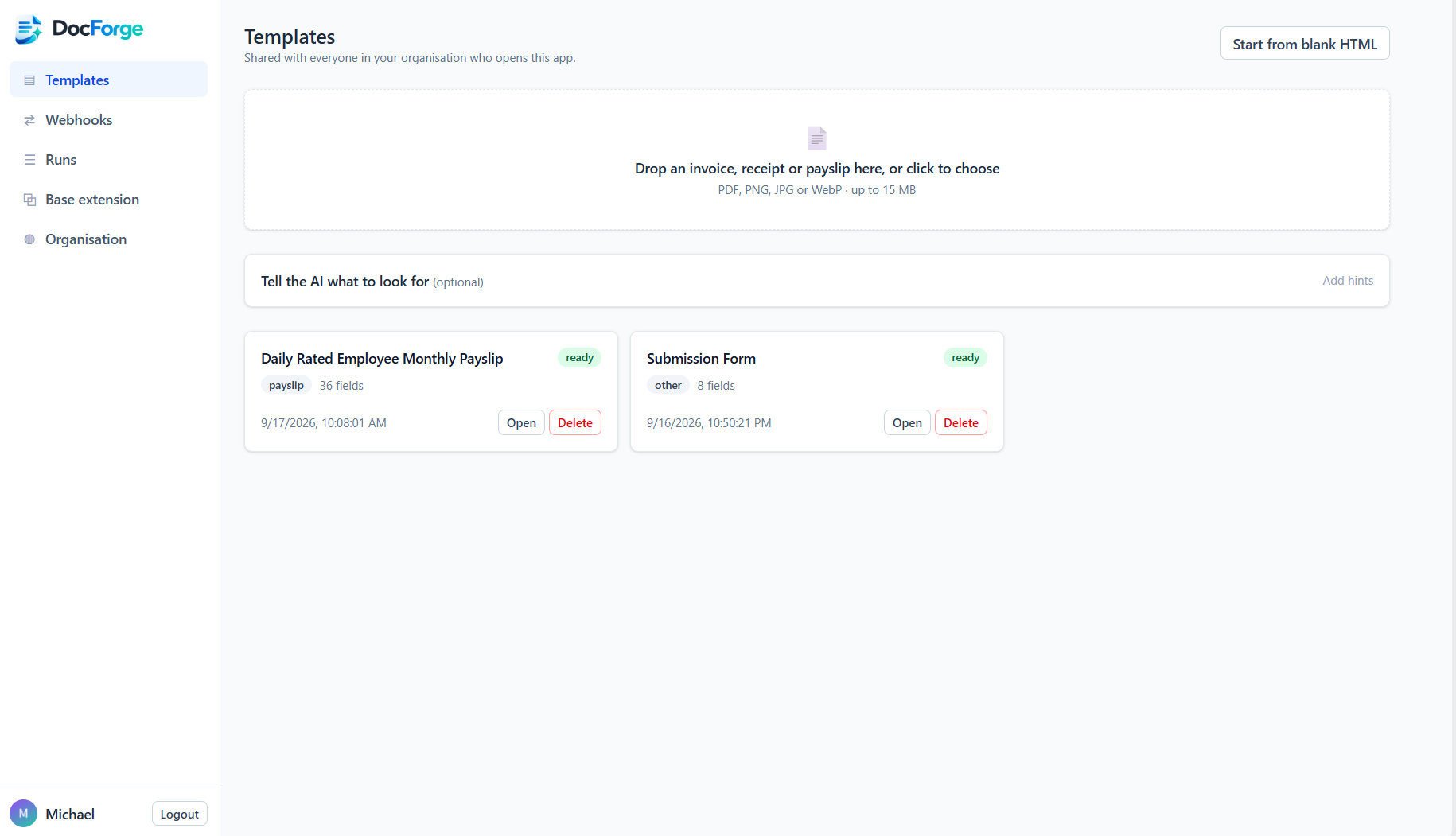
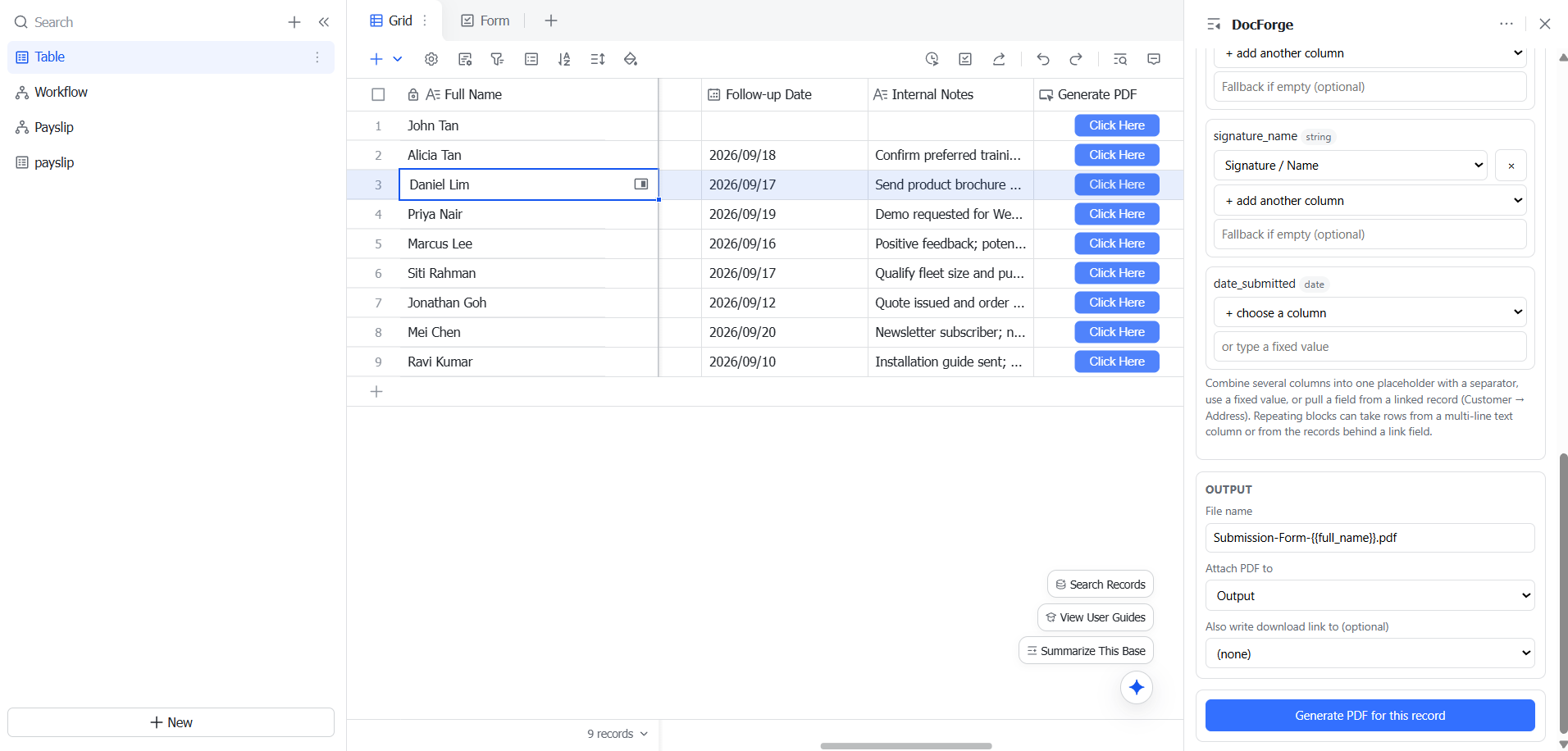
Upload a sample document once. DocForge’s AI rebuilds it as an editable template, detects the variable fields (customer name, invoice number, line items, totals…) and gives you a webhook. Point a Lark Base automation at that webhook and every new record becomes a finished PDF — stored securely, with a download link returned to your workflow and a full request log so you can see exactly what ran.
Get DocForge
Service agreement
How it works
- 1. UploadSample PDF or image
- 2. ReviewFields and preview
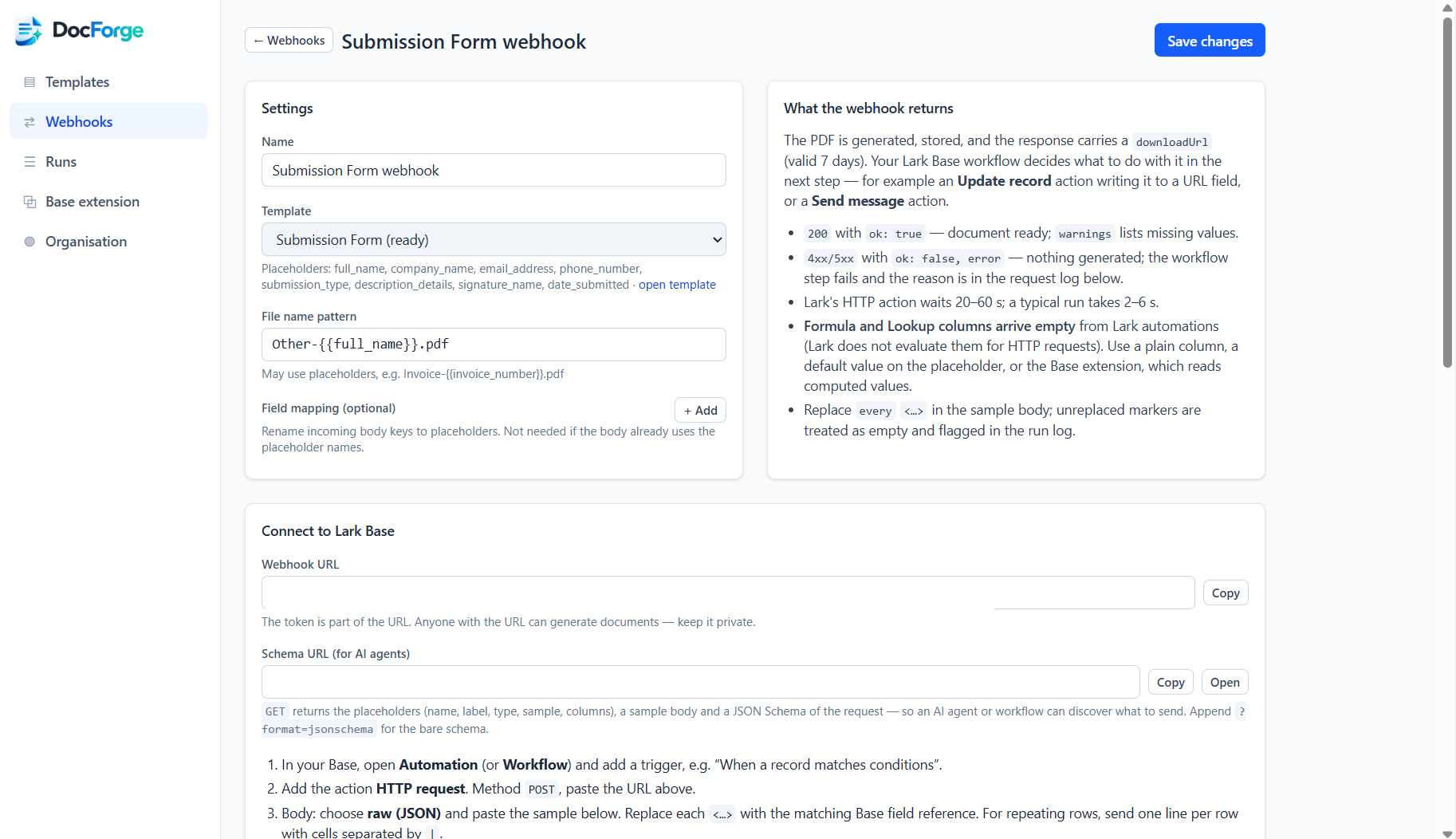
- 3. WebhookOne URL per template
- 4. BaseHTTP action in Lark Base
- 5. PDFDownload link on the record
Features
AI template builder
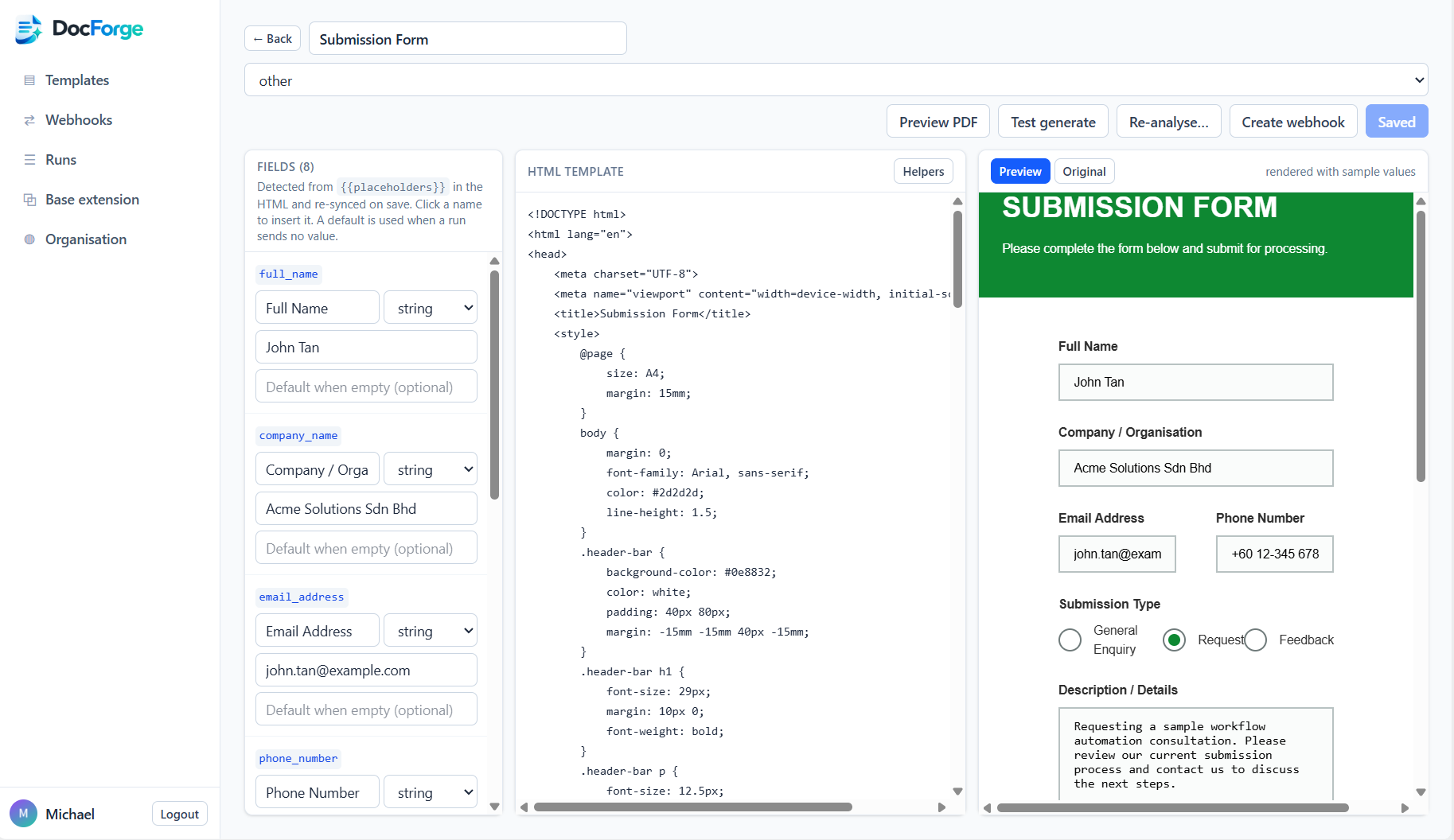
PDF or image in, HTML template with {{placeholders}} out. Repeating rows (line items, earnings/deductions) handled automatically.
Guide the AI
Optional hints (“invoice_number, keep the company header static”) and a Refine mode that applies changes without discarding your edits.
Live editor
Side-by-side original vs rendered preview, field labels/types, sample values, one-click PDF preview.
Lark Base webhook
One URL per template. Paste the sample JSON into a Base HTTP request action. The response carries downloadUrl for the next step.
Agent-ready
GET …/schema describes every placeholder plus a JSON Schema, so AI agents can discover what to send.
Request log
Every trigger recorded with status, HTTP code, duration, source IP, request and response bodies. Slow and unanswered calls flagged.
Organisation-wide
Templates and webhooks are shared by everyone in your Lark tenant. Other tenants are fully isolated.
Runs on BytePlus
Documents stored in TOS, AI via ModelArk. Data never leaves the platform.
Who it’s for
Finance, HR and operations teams that already track invoices, payslips, quotations or receipts in Lark Base and want the paperwork generated automatically.
Permissions and privacy
Requires only sign-in (user profile) — no access to your Base contents. Data is sent to DocForge only when your own automation calls the webhook.